House Hold guides
How to add a calendar
Bring calendar events into your household’s shared view.
- Export an .ics file from your calendar provider. In Google Calendar on a computer, open Settings → Import & export → Export, then unzip the download.
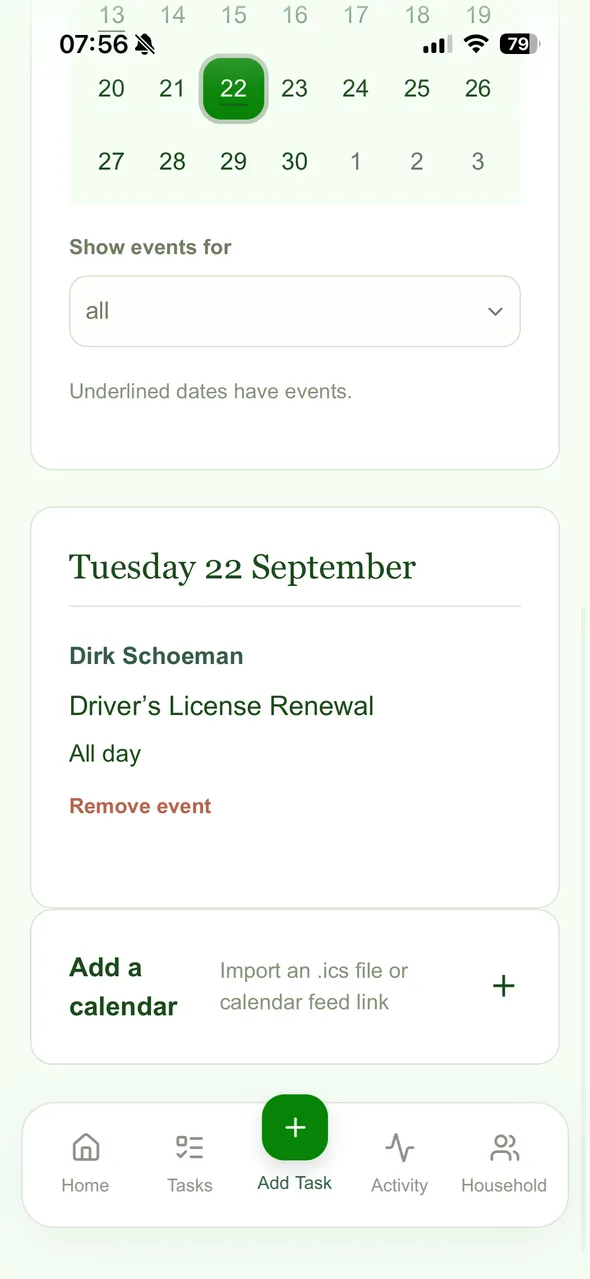
- Open Calendar from your House Hold home page.
- Expand Add a calendar. Choose an .ics file exported from your calendar, or paste a calendar feed link.
- Preview the imported events and check their dates and times before confirming the import.
- Choose a date to see its events. Use Show events for to filter by member.